.jpg "Soccer Bros")
.jpg "Wrestle Bros")


.jpg "Moto X3M")
.jpg "Western Sniper")
.jpg "Ragdoll Archers")

.jpg "Gacha Club")
.jpg "Geometry Dash Wave")
.jpg "Geometry Dash SubZero")

.jpg "Geometry Dash Breeze")
.jpg "Geometry Dash Bloodlust")
.jpg "Slope 3")
.jpg "Geometry Dash Bloodbath")


.jpg "Candy Crush")
.jpg "Space Waves")
.jpg "Car Racer")
.jpg "Long Board Crasher")
.jpg "Marble Run 3D")

.jpg "Uno Online")
.jpg "Jetpack Joyride")
.jpg "Planet Clicker 2")


.jpg "House of Hazards")

.jpg "Spacebar Clicker")

(2).avif "Dude Theft Auto")
.jpg "Tap Road")
.jpg "Racing Limits")
.jpg "Slope Run")
.jpg "Kart Bros")

.jpg "Death Run 3D")
.png "Cars Arena")
.jpg "Snow Rider 3D")
.jpg "Drift 3")
Bloxd io is a colorful block adventure blending parkour, creativity, and multiplayer fun. Explore worlds, build freely, and challenge friends online.
About Bloxd io
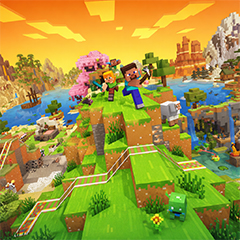
Bloxd io is a completely free online game, developed in a sandbox style with simple yet colorful blocky graphics, inspired by Minecraft. You'll play entirely online in your browser at https://brogames.io/bloxd-io without needing to download anything; all you need is an internet connection.
While playing, you can unleash your creativity, build structures, explore a vast map, fight, or participate in various game modes. The game combines elements of survival, creativity, and combat. It's an attractive entertainment option for students. You can play on any device such as computers, tablets, and phones without any limitations or restrictions.
Game Modes in Bloxd io
- Creative: This mode offers ample resources for building structures of your choice. You can unleash your creativity and imagination without limitations. You can gather materials from harvesting trees, soil, etc., to create stunning structures.
- Peaceful: For those who want to relax, this mode eliminates combat, focusing solely on building and exploration.
- Anarchy: This is a chaotic PvP mode where everyone is an enemy. The fast-paced and dramatic gameplay makes this mode particularly popular with gamers who enjoy challenges.
- Parkour and Limited Time Game: Parkour is an obstacle course mode with increasing difficulty, perfect for training reflexes. Limited Time Game is a time-limited mode, forcing you to quickly achieve your goal before time runs out.
- One Block and expansion modes: In any mode, you start with just a single block and gradually expand the world with your creativity. In addition, there are supplementary modes such as Eggwars, Treasure Wars, Skyblock, or Duels where you can unleash your creativity.
How to Play
Basic Controls
- WASD – Move
- Shift or double-tap W – Run
- C, Z, \ or Caps Lock – Crouch
- T or Enter – Chat
- B – Open shop
- / – Start command
Useful Commands
- /rtv – Vote to skip the current map
- /players – View players in your lobby
- /xp – Check your level and XP
- /played – See your total playtime
- /nobuffs – Play maps without buffs for a separate leaderboard
DoodleCube Controls
- Right mouse button – Place blocks
- Left mouse button – Destroy blocks
- Number keys or mouse middle button – Switch blocks